pryanicom
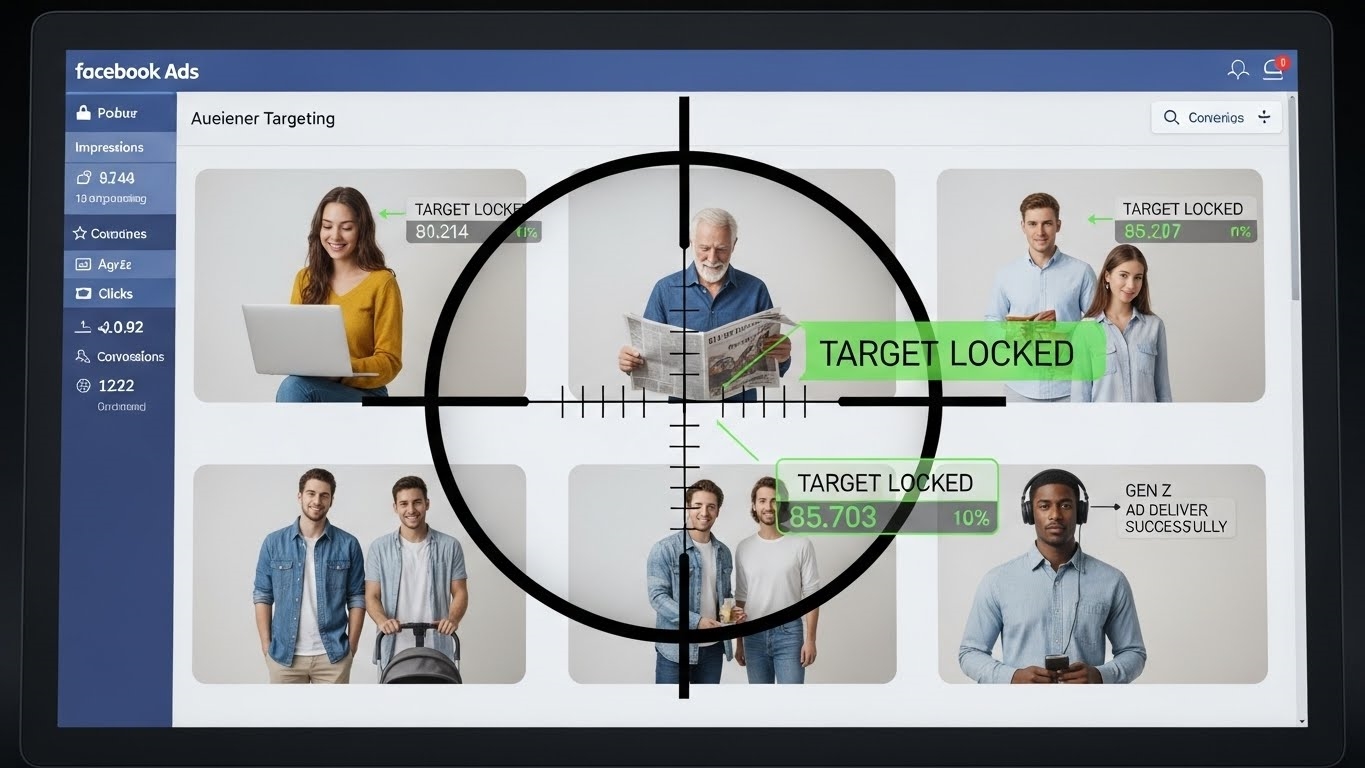
What if you could truly see your audience’s journey, from a casual browse to a committed purchase, across the vast expanse of Meta’s platforms? This isn’t a hypothetical; it’s the core promise of the Meta Pixel. More than just a simple tracking code, this ingenious snippet, embedded on your website, acts as a sophisticated digital intelligence agent. Its fundamental purpose? To bridge the gap between your website’s activity and Meta’s advertising ecosystem, transforming anonymous visitors into actionable insights.
At its heart, the Meta Pixel meticulously tracks user interactions, logging everything from page views and content consumption to button clicks and form submissions. This granular data becomes the bedrock for several critical marketing maneuvers. It empowers precise retargeting, allowing you to re-engage visitors who showed interest but didn’t convert, presenting them with tailored messages that resonate. Furthermore, it’s indispensable for audience building, enabling the creation of highly specific segments based on behavior – think “added to cart but didn’t buy” or “viewed product X.” Crucially, the Pixel provides irrefutable conversion measurement, attributing sales, leads, and other valuable actions directly back to your Meta ad campaigns. This isn’t just data; it’s the blueprint for optimized ad spend and superior campaign performance.

Unpacking Meta Pixel’s Core Power
At its heart, the Meta Pixel is an unassuming snippet of JavaScript code, yet its operational depth is profound. When deployed on a website, this pixel initiates a sophisticated data collection process. Its primary mechanism involves placing a first-party cookie directly onto a visitor’s browser. This cookie acts as a unique identifier, allowing the pixel to track that specific browser’s activity across the site. Crucially, when a user who has visited your site subsequently logs into any Meta platform, or if they were already logged in, Meta’s robust identity graph can then match the cookie ID to their Meta user profile. This seamless user matching across Meta accounts is the bedrock of its intelligence, enabling a unified view of customer journeys that would otherwise remain fragmented.
This foundational data-gathering tool for Meta platforms meticulously tracks user interactions, enabling sophisticated retargeting campaigns, building highly segmented audiences, and providing precise conversion measurement. It’s about understanding every digital footprint a potential customer leaves on your domain. The pixel diligently records a comprehensive array of user actions, moving far beyond simple page views. This includes a suite of standard events, predefined actions that are universally valuable for businesses. Think Purchase, Add to Cart, Lead, View Content, or Initiate Checkout. These events are automatically optimized by Meta’s algorithms, making them incredibly powerful for campaign objectives.

Tracking User Actions: Standard and Custom
Beyond these predefined actions, the Meta Pixel offers the flexibility of custom events. This capability allows businesses to track virtually any interaction unique to their website or application. Perhaps you want to monitor when a user completes a specific form field, watches a particular video segment, or interacts with an augmented reality feature. Custom events provide that granular insight, ensuring no valuable user behavior goes unrecorded. This dual approach—standard events for common goals and custom events for niche interactions—ensures a truly comprehensive understanding of user engagement.
| Event Type | Purpose | Example Use Case |
|---|---|---|
| Standard | Common, predefined actions for universal goals | Tracking completed purchases, adding items to a cart |
| Custom | Unique actions specific to a business or product | Monitoring video plays, form submissions, button clicks |
Top 3 Pixel Capabilities
The true power of the Meta Pixel crystallizes in its ability to transform raw data into actionable marketing strategies. Three capabilities stand out as indispensable for any marketer leveraging Meta’s platforms:

-
Building Custom Audiences for Remarketing: This is where the pixel truly shines for re-engagement. By tracking specific user actions, you can segment your website visitors into highly targeted groups. Imagine an audience of users who added items to their cart but didn’t complete the purchase—a classic abandoned cart scenario. Or perhaps visitors who viewed a specific product category multiple times. With Custom Audiences, you can then serve these segments highly relevant ads, reminding them of their interest or offering an incentive to complete their action. This precision dramatically boosts conversion rates by speaking directly to demonstrated intent.
-
Creating Lookalike Audiences for Expansion: Once you’ve identified your most valuable customers or high-intent website visitors through Custom Audiences, the Meta Pixel enables you to scale your reach. Lookalike Audiences leverage Meta’s vast data pool to find new users whose demographics, interests, and behaviors closely mirror those of your existing high-value segments. This is an unparalleled acquisition tool, allowing businesses to efficiently expand their customer base by targeting individuals who are statistically most likely to convert, effectively cloning your ideal customer profile.
-
Tracking Cross-Device Conversions: In 2026, the path to purchase is rarely linear or confined to a single device. A customer might discover a product on their phone during a commute, research it on their laptop at home, and finally purchase it on their tablet days later. Without robust tracking, attributing these conversions accurately is a nightmare. The Meta Pixel, through its sophisticated user matching across Meta accounts, stitches together these disparate touchpoints. It provides a holistic view of the customer journey, allowing marketers to understand the true impact of their campaigns across various devices and optimize their ad spend with confidence, ensuring every conversion is properly credited.
These capabilities collectively transform the Meta Pixel from a simple tracking tool into a strategic asset, providing the intelligence needed to connect with audiences, drive conversions, and understand the full scope of campaign performance.
Activating Your Meta Pixel: A Blueprint
Getting the Meta Pixel operational is more than just dropping a snippet of code; it’s about establishing a robust data pipeline. This foundational step ensures your advertising efforts are informed by real user behavior, not guesswork. Let’s walk through the precise sequence to bring your pixel to life.

Forging Your Pixel ID
The journey begins within Meta’s Business Suite, specifically the Events Manager. Navigate to the “Connect Data Sources” option. Here, you’ll select “Web” and follow the prompts to create a new Meta Pixel. Meta will then furnish you with a unique Pixel ID – the identifier for your website’s data stream. This ID is paramount; it’s the digital fingerprint connecting your site’s user interactions directly to your Meta advertising account. Without it, your data remains siloed, untrackable.
Connecting the Pixel to Your Site
Once you have your Pixel ID, the next critical phase is integration. Several pathways exist for embedding this tracking mechanism, each suiting different technical comfort levels.
- Manual Installation: For those comfortable with website code, Meta provides the base pixel code snippet. This JavaScript must be meticulously placed within the
<head>section of every page on your website, ensuring consistent tracking across your entire domain. It demands precision to avoid common pitfalls. - Partner Integrations: The most streamlined approach for many. If your website is built on a popular Content Management System (CMS) or e-commerce platform, Meta likely offers a direct integration. Platforms like Shopify, WordPress (via plugins), Wix, and Squarespace allow you to simply input your Pixel ID into a designated field. This abstracts away code, making installation effortless.
- Google Tag Manager (GTM): For advanced marketers, GTM offers unparalleled flexibility. Deploy the Meta Pixel as a tag within your GTM container. This centralizes tag management, allowing granular control over pixel firing and custom events without touching core website code.
After installation, verification is non-negotiable. The Meta Pixel Helper Chrome extension is your indispensable diagnostic tool. Install it, then browse your website. The extension illuminates, indicating pixel detection, events firing, and any errors. Simultaneously, within Events Manager, navigate to the “Test Events” tab. This real-time dashboard allows simulating user actions to observe correct event registration within Meta’s system. This dual verification confirms your data pipeline flows freely.
Navigating Compliance Requirements
The power of the Meta Pixel comes with significant responsibility, particularly concerning user privacy. Data privacy regulations are stringent, making compliance a cornerstone of ethical marketing.
Crucial Compliance Note: Before the Meta Pixel fires and begins collecting data, you must obtain explicit consent from your website visitors. This is a legal imperative under frameworks like GDPR and CCPA.
This necessitates a clear, prominent cookie consent notice. Users must accept or decline tracking cookies; only upon acceptance should the Meta Pixel initialize. A robust Consent Management Platform (CMP) often manages this effectively, ensuring legal adherence while maximizing data collection from consenting users.
Adherence to Meta’s Business Tools Terms is paramount. These terms outline strict guidelines for data sharing, user privacy, and permissible data types. Transmitting sensitive personal information (e.g., health data, financial account numbers) is strictly prohibited. Transparency about data collection, clearly articulated in your privacy policy, builds trust and mitigates legal issues. Ignoring compliance risks legal penalties and advertising account suspension.
Beyond the Browser: Supercharging Pixel Data with Conversions API
The Meta Pixel has long been the cornerstone for understanding user behavior and optimizing ad campaigns across Meta’s platforms. Yet, relying solely on client-side tracking, where data originates directly from a user’s browser, introduces inherent vulnerabilities. Modern privacy-centric browser policies, aggressive ad blockers, and user-driven cookie consent choices increasingly create significant blind spots in data collection. These aren’t minor inconveniences; they represent material gaps in the data streams that fuel ad personalization and performance measurement. When a user opts out of cookies or employs a blocker, the Pixel’s script often fails to fire, leading to underreported conversions, skewed audience insights, and ultimately, less effective ad spend.
Server-side data collection
Enter the Conversions API (CAPI), a robust solution designed to reclaim the fidelity of your data. Unlike the browser-dependent Pixel, CAPI facilitates a direct, server-to-server connection between your marketing data systems and Meta. This means event data – purchases, leads, sign-ups – is sent directly from your secure server environment, bypassing the client-side limitations that plague traditional Pixel implementation. Think of it as a dedicated, high-speed data lane, impervious to the traffic jams and detours of browser-based tracking. This server-side integration ensures that even when a user’s browser blocks the Pixel or they decline cookie consent, your critical conversion data still reaches Meta, provided you have the necessary first-party data and consent to process it.
Why combine Pixel and CAPI?
The true power unfolds when you deploy both the Meta Pixel and Conversions API in tandem. This isn’t about choosing one over the other; it’s about creating a resilient, comprehensive data strategy. The Pixel captures events that CAPI might miss due to server-side implementation complexities, while CAPI fills the gaps left by browser restrictions. This dual approach creates a more complete and accurate picture of customer interactions, offering a significant uplift in data reliability.
Consider the extended tracking capabilities this hybrid model unlocks. Beyond standard website events, CAPI allows you to send offline conversions, such as in-store purchases or phone orders, directly to Meta. It also enables the tracking of crucial messaging events from platforms like Messenger or WhatsApp, providing a holistic view of the customer journey that transcends the website boundary. This richer, more diverse dataset directly translates to enhanced attribution. Meta’s algorithms, fed with superior data, can more accurately attribute conversions to specific ad touchpoints, leading to:
- Improved Ad Personalization: With a clearer understanding of user behavior across all touchpoints, Meta can deliver more relevant and timely ads.
- Superior Optimization: The algorithms have a more complete dataset to learn from, driving better campaign performance and more efficient budget allocation.
- Robust Reporting: Data discrepancies shrink, offering a more truthful representation of your marketing efforts’ impact.
The synergy between the Meta Pixel and Conversions API is not merely an upgrade; it’s a fundamental shift towards a more resilient and insightful measurement framework. It’s about ensuring your advertising efforts are always informed by the most complete and accurate data possible, irrespective of browser evolution or user privacy preferences.
| Feature | Meta Pixel (Client-Side) | Conversions API (Server-Side) | Combined Approach (Pixel + CAPI) |
|---|---|---|---|
| Data Reliability | Vulnerable to blockers | Highly resilient | Maximized reliability |
| Tracking Scope | Website events | Website, offline, messaging | Comprehensive |
| Attribution Accuracy | Good, but incomplete | Excellent, with gaps | Unparalleled precision |
| Privacy Resilience | Low | High | Robust and future-proof |
| Implementation | Simpler | More technical | Best of both worlds |
This combined strategy ensures that your campaigns are built on a foundation of solid, verifiable data, driving smarter decisions and ultimately, superior return on ad spend.
FAQ
What data does Meta Pixel exclude?
It avoids personally identifiable information without explicit consent. It focuses on aggregated user behavior.
How to debug advanced Pixel issues?
Use Meta Events Manager diagnostics. Check server-side logs for Conversions API.
How does first-party data enhance tracking?
It provides more resilient data collection. It reduces reliance on third-party cookies.
How does Pixel power dynamic ads?
It feeds product catalog interactions. This enables personalized ad content.