pryanicom
- Optimizing your Facebook business profile details
- Cross-promoting your Facebook presence across platforms
- Pinning high-performing content for visibility
- Leveraging Facebook search operators for competitive intelligence and audience research
- Unlocking Business Potential with Facebook’s Core Features
- Advanced Facebook Strategies for Publishing and Advertising
Is your Facebook business profile merely a digital placeholder, or is it a meticulously crafted beacon, drawing in your ideal audience with magnetic force? In 2026, where attention is the ultimate currency, a passive presence simply won’t cut it. It’s time to transform your page from a static brochure into a dynamic hub of engagement and discovery.
These aren’t just best practices; they are non-negotiable imperatives for any brand serious about leveraging Facebook’s immense potential. We’re talking about foundational strategies that elevate your visibility, solidify your brand identity, and ultimately, amplify your reach across the platform. Think of these as the bedrock upon which all your future Facebook triumphs will be built.

Optimizing your Facebook business profile details
Your profile is your digital storefront. Every field, from your ‘About’ section to your contact information, must be meticulously filled, accurate, and compelling. Choose the most relevant categories, craft a concise yet captivating description, and ensure your profile and cover photos are high-resolution, on-brand, and instantly recognizable. This isn’t just data entry; it’s brand storytelling.
Cross-promoting your Facebook presence across platforms
Don’t let your Facebook page live in isolation. Integrate links to your page across every touchpoint: your website, email signatures, other social media bios (Instagram, LinkedIn, TikTok), and even offline marketing materials. A simple call-to-action like “Connect with us on Facebook for exclusive updates!” can funnel engaged users directly to your content.

Pinning high-performing content for visibility
What’s the first impression you want to make? Pinning a post to the top of your page ensures that new visitors immediately see your most crucial announcement, a top-performing piece of content, or a current promotion. This strategic move dictates the narrative, guiding user attention to what matters most right now.
Leveraging Facebook search operators for competitive intelligence and audience research
This is where the detective work begins. Utilize Facebook’s native search bar with specific operators to uncover a wealth of insights. Search for posts by [competitor page name] to analyze their content strategy, or groups about [your niche] to understand audience pain points and language. You can even search for photos from [event name] to gauge public sentiment. This granular approach provides an unparalleled lens into market dynamics and audience sentiment.

Unlocking Business Potential with Facebook’s Core Features
Facebook remains an indispensable platform for businesses aiming to connect with their audience and drive tangible results. Beyond simply existing on the platform, strategic utilization of its inherent tools can transform a static presence into a dynamic growth engine. These core features, often overlooked or underutilized, are the bedrock for fostering engagement, streamlining customer journeys, and ultimately, boosting revenue.
From optimizing your initial profile details and cross-promoting your presence to pinning high-performing content and leveraging search operators for competitive intelligence, a comprehensive approach to Facebook ensures every touchpoint is optimized. This extends to how you publish content, analyze performance with Page Insights, understand audience behavior, track conversions with the Meta Pixel, and strategically promote organic content for wider reach. Mastering these foundational elements allows businesses to build a robust framework for sustained success.

Customizing Call-to-Action Buttons
Your Facebook Page’s call-to-action (CTA) button is prime digital real estate. It’s the direct conduit between interest and action. Instead of settling for the default, customize this button to align precisely with your immediate business objective. Whether it’s “Shop Now” for an e-commerce brand, “Book Now” for a service provider, or “Contact Us” for lead generation, the right CTA guides visitors effortlessly. Consider a rotating strategy, perhaps highlighting a new product launch with “Learn More” one month, then switching to “Sign Up” for a webinar the next.
| CTA Button Option | Primary Goal | Example Use Case |
|---|---|---|
| Shop Now | Direct sales | Online retail, product launches |
| Book Now | Appointment scheduling | Salons, consultants, service providers |
| Contact Us | Customer inquiries, lead capture | B2B services, complex product sales |
| Learn More | Information dissemination | Content marketing, educational resources |
| Send Message | Instant communication | Customer support, quick questions |
Claiming a Vanity URL
A vanity URL, such as facebook.com/YourBrandName, is more than just a pretty link; it’s a branding imperative. It lends credibility, improves memorability, and simplifies sharing. A generic URL with a string of numbers communicates an amateur presence. Claiming a concise, brand-aligned URL is a fundamental step in establishing a professional identity and ensuring your page is easily discoverable and shareable across all channels.

Personalizing Page Tabs
The tabs on your Facebook Page—Home, Posts, Reviews, Shop—are the navigational backbone for visitors. Don’t let them sit in their default order. Reorganize, add, or remove tabs to prioritize what matters most to your audience and business. For a restaurant, “Menu” and “Reviews” might take precedence. A software company might highlight “Services” and “Groups.” This personalization enhances discovery, ensuring visitors quickly find the information or interaction point they seek.
Showcasing Products with Collections
For businesses with physical or digital products, Facebook Collections offer an immersive, visually rich shopping experience. Unlike standard product posts, Collections group items into themed sets, complete with engaging imagery and video. Imagine a “Summer Essentials” collection or a “Work-From-Home Tech” collection. This curated presentation encourages browsing and simplifies the path to purchase, making product discovery feel more like magazine browsing than a catalog flick-through.

Implementing In-App Checkout
The friction points in an online purchase journey are notorious conversion killers. In-app Facebook Checkout dramatically reduces this by allowing customers to complete transactions without ever leaving the platform. This seamless experience, integrated directly into Facebook Shops, means fewer clicks, faster purchases, and a significant boost to conversion rates. It’s about meeting the customer where they are and making their buying process as effortless as possible.
Building Community Through Groups
While a Page broadcasts your message, a Facebook Group fosters conversation. Groups are powerful for building loyal communities around your brand, product, or shared interest. They offer a space for exclusive content, peer-to-peer support, direct feedback, and genuine interaction. Whether it’s a VIP customer group, a forum for product users, or a discussion hub for industry enthusiasts, Groups cultivate a sense of belonging that translates into advocacy and retention.

Utilizing Facebook Live
Facebook Live is a potent tool for real-time engagement and authentic connection. Its unscripted nature offers a unique window into your brand, whether it’s a live Q&A with an expert, a behind-the-scenes tour, a product demonstration, or an interactive workshop. Live videos consistently achieve higher organic reach and engagement rates compared to pre-recorded content, thanks to their immediacy and the platform’s preference for live broadcasts. The ability to interact directly with viewers in the comments section creates an unparalleled sense of intimacy.
Earning the “Very Responsive” Badge
In 2026, customer service speed is paramount. The “Very Responsive” badge on Facebook Messenger signals to potential customers that your business is attentive and reliable. To earn it, your Page must maintain a 90% response rate and an average response time of under 15 minutes over a seven-day period. This badge isn’t just an aesthetic flourish; it’s a trust signal that can significantly influence a customer’s decision to engage with your business over a competitor.

Improving Messenger Responses with AI Chatbots
Maintaining that “Very Responsive” badge, especially as your business scales, can be challenging. This is where AI-powered chatbots become invaluable. These automated assistants can handle frequently asked questions, qualify leads, provide instant support, and even guide users through simple transactions 24/7. By automating routine inquiries, chatbots free up your human team to focus on more complex customer service issues, ensuring consistent, rapid responses and a superior customer experience.
Advanced Facebook Strategies for Publishing and Advertising
Mastering Facebook for business in 2026 demands more than just a presence; it requires surgical precision in content delivery and ad optimization. This is where the true architects of digital growth distinguish themselves, moving beyond basic posting to orchestrate sophisticated campaigns that convert.

Consistent Content Delivery with Scheduling
The rhythm of your content matters. Irregular posting can diminish visibility and audience connection. Enter Meta Business Suite, your command center for orchestrating a consistent content flow. This robust platform allows you to schedule posts, Reels, and Stories across Facebook and Instagram well in advance. Imagine crafting a week’s worth of engaging content – from thought leadership articles to behind-the-scenes glimpses – and then scheduling it to deploy at optimal times identified by your audience data. This strategic foresight ensures your brand remains top-of-mind, even when you’re focused on other operational priorities. It’s about creating an always-on narrative without the daily scramble.
Page Performance Insights
To truly understand what resonates, you must delve into Facebook Page Insights. This invaluable dashboard provides a granular view of your page’s performance. You’ll uncover metrics like post reach, engagement rates, video watch times, and follower growth trends. By dissecting these data points, you can identify which content formats spark the most conversations, which topics drive the highest click-throughs, and even the precise times your audience is most active. This isn’t just data; it’s a feedback loop, guiding your content strategy with empirical evidence. For instance, if carousel posts consistently outperform single images in engagement, that’s a clear directive for future content creation.

Understanding Audience Behavior
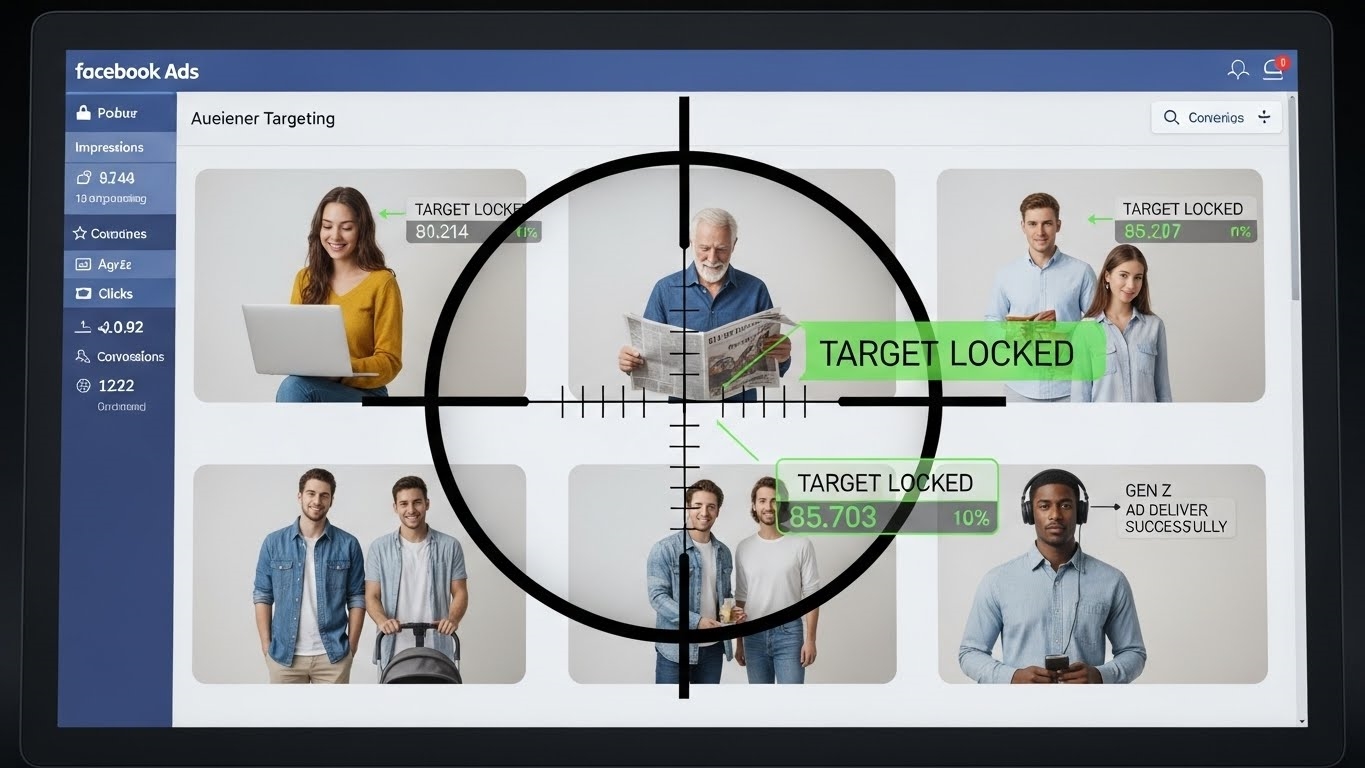
Beyond your page’s direct performance, Facebook Audience Insights offers a panoramic view of potential and existing customers. This tool, distinct from Page Insights, helps you understand broad demographic data, interests, behaviors, and even the other pages your target audience likes. Are your potential customers primarily interested in “sustainable living” or “early-stage tech startups”? Do they frequently engage with “online shopping” or “travel planning”? This deep dive into psychographics empowers you to craft hyper-targeted content and advertising messages that speak directly to their aspirations and pain points, transforming generic outreach into highly relevant communication.
Meta Pixel for Conversion Tracking
For any business serious about measuring ROI, the Meta Pixel is non-negotiable. This small snippet of JavaScript code, installed on your website, acts as a digital scout, tracking visitor actions. From viewing a product page to adding an item to a cart, or completing a purchase, the Pixel records these “events.” This data is then fed back to Facebook’s Ads Manager, enabling precise conversion tracking, optimization for specific actions, and the creation of powerful custom audiences for retargeting. Think of it: a customer browses your new collection but doesn’t buy. The Pixel ensures they see a tailored ad for that exact collection later, significantly increasing the likelihood of conversion.

Promote Top Organic Content
Why reinvent the wheel when you have proven performers? Your highest-engaging organic Facebook posts are goldmines. Identify these posts through Page Insights – those with exceptional reach, comments, and shares – and then strategically promote them. While the “Boost Post” button offers a quick solution, leveraging Ads Manager provides far greater control over targeting, budget, and ad placements. By amplifying content that has already demonstrated strong audience appeal, you’re investing in a known winner, extending its reach to new, relevant audiences who are likely to engage. This strategy reduces ad spend risk and maximizes impact.
Analyze Ad Performance
The final, critical step in any advanced Facebook strategy is rigorous ad performance analysis. Within Ads Manager, a wealth of metrics awaits: Return on Ad Spend (ROAS), Cost Per Acquisition (CPA), Click-Through Rate (CTR), frequency, and relevance scores. These aren’t just numbers; they tell the story of your campaign’s efficiency and effectiveness.
| Metric | What it tells you | Actionable Insight |
|---|---|---|
| ROAS | Revenue generated per dollar spent on ads | High ROAS: scale campaign; Low ROAS: optimize or pause |
| CPA | Cost to acquire one customer/conversion | High CPA: refine targeting/creative; Low CPA: scale |
| CTR | Percentage of people who clicked your ad | Low CTR: A/B test ad creative/copy |
| Frequency | Average number of times a person saw your ad | High Frequency: audience fatigue, expand audience |
Regularly A/B test different ad creatives, copy variations, and audience segments. Pause underperforming ad sets, reallocate budgets to top performers, and continuously refine your targeting. This iterative process of testing, measuring, and optimizing is the bedrock of sustained advertising success.
FAQ
How do algorithm changes impact visibility?
Algorithm shifts prioritize engagement, video. Adapt by focusing on authentic interaction.
How do I create a Facebook Shop?
Use Commerce Manager. Connect product catalog, customize storefront.
How can I protect my Facebook page?
Enable two-factor authentication. Use strong passwords. Review connected apps.
What are best practices for Facebook Reels?
Create short, engaging videos. Use trending audio. Showcase products.