pryanicom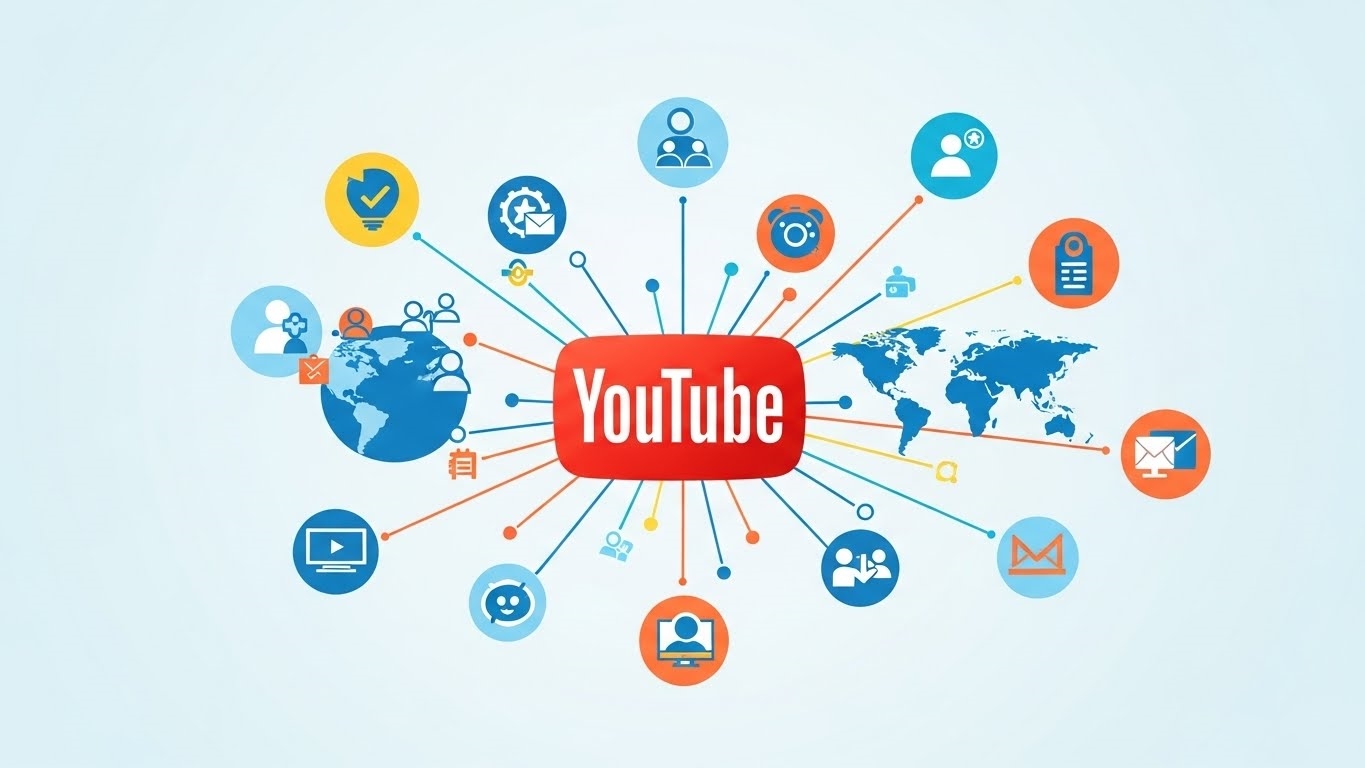
What if I told you the world’s second-largest search engine isn’t Google, but its video-centric sibling, YouTube? This isn’t just a statistic; it’s a profound indicator of where global attention resides. Every month, over two billion logged-in users converge on this platform, consuming content ranging from intricate engineering breakdowns to captivating travelogues. For any brand or individual aiming to connect, inform, or entertain, ignoring this colossal audience is akin to whispering into a hurricane.
This isn’t merely a video hosting site; it’s a dynamic ecosystem where communities form, brands flourish, and ideas ignite, all powered by the magnetic pull of visual storytelling. The sheer scale of audience engagement on YouTube presents an unparalleled opportunity. We’re talking about a global village where your message, delivered through compelling video, can transcend geographical boundaries and resonate with millions. Imagine the impact of a single, well-crafted piece of content reaching an audience larger than many nations.

Building a YouTube channel presence means tapping into this vibrant current, transforming passive viewers into active participants. It’s about more than just uploading videos; it’s about cultivating a space where your unique voice finds its tribe, where your expertise becomes a trusted resource, and where genuine connections foster loyalty. The platform’s sophisticated algorithms, coupled with its immense user base, create a fertile ground for discoverability, ensuring that quality content finds its rightful audience. This is your stage; it’s time to command it.
Architecting Your YouTube Presence: Setup, Branding, and Control
Launching a YouTube channel is far more than simply uploading a video; it’s about meticulously constructing a digital identity designed for maximum impact. This foundational phase dictates how your audience perceives you, how easily they find you, and the operational agility you’ll possess. Establishing a robust YouTube channel presence begins with these foundational steps, transforming a simple account into a powerful communication hub. Every decision made here, from account type to banner dimensions, contributes to a cohesive and compelling platform.

The journey begins with your Google account. YouTube is a Google property, so seamless integration is a given. If you already have a Google account, you’re halfway there. Upon signing into YouTube, the platform will prompt you to create a channel. Here, a critical choice emerges: a personal channel or a Brand Account. A personal channel is tied directly to your Google profile, suitable for individual creators. However, for businesses, organizations, or even ambitious personal brands planning future collaboration, a Brand Account is the undisputed champion. It decouples your channel from your personal Google identity, allowing multiple individuals to manage it without sharing sensitive login credentials. This distinction is crucial for security, scalability, and maintaining a professional front. To create one, simply navigate to YouTube, sign in, click your profile icon, select “Settings,” then “Create a new channel.” If you choose a Brand Account, you’ll be guided through naming it, and voilà, your digital stage is set.
Crafting Your Visual Identity
With the channel established, the next imperative is branding. This isn’t merely a formality; it’s your digital handshake, your visual promise to potential viewers.

- Profile Photo: This small, often circular image is your primary identifier. It appears next to your videos, comments, and on your channel page. Aim for a high-resolution square image, typically 98×98 pixels, though uploading a larger one (e.g., 800×800 pixels) ensures crispness across various displays. A clear logo or a recognizable headshot is paramount.
- Banner Image (Channel Art): This expansive graphic dominates the top of your channel page, offering a prime opportunity to convey your brand’s essence. The recommended dimensions are 2560×1440 pixels, but critically, design within the “safe area” of 1546×423 pixels. This ensures your core message and branding elements are visible across all devices, from mobile phones to smart TVs.
- Channel Handle: Introduced in 2022, your unique
@handleis your channel’s identifier, facilitating mentions and direct navigation. It’s automatically assigned but can be customized in YouTube Studio. Choose something memorable, relevant, and concise for optimal discoverability. - Channel Description (About Section): Often overlooked, this text field is a powerful SEO tool. Craft a compelling narrative that clearly states what your channel offers, who it’s for, and what viewers can expect. Incorporate relevant keywords naturally to aid search engine visibility. This is also the place for business inquiries and social media links.
- Video Watermark: A subtle yet effective branding element, this small image appears in the corner of your videos. It can be your logo or a subscribe button, reinforcing your brand and encouraging subscriptions.
Operational Control and Advanced Settings
Beyond aesthetics, configuring your channel’s operational backbone is vital.
- Channel Managers: For Brand Accounts, this feature is indispensable. Granting specific roles allows for collaborative management without compromising security.
| Role | Permissions |
|---|---|
| Owner | Full control, can add/remove managers, delete channel, manage monetization. |
| Manager | Can upload, edit, delete videos, manage comments, view analytics. |
| Communications Manager | Can manage comments, view analytics (no video upload/edit/delete). |
| Viewer | Can view analytics data. |
| Viewer (Limited) | Can view limited analytics data. |
- Advanced Settings: Dive into YouTube Studio’s “Settings” to fine-tune your channel.
- Country of Residence: Crucial for regional recommendations and monetization eligibility.
- Channel Keywords: A dedicated section under “Basic Info” where you can add terms relevant to your content, further boosting search visibility.
- Audience Settings: Declare whether your content is “Made for Kids” to comply with COPPA regulations.
- Feature Eligibility: Verify your phone number to unlock intermediate features like videos longer than 15 minutes and custom thumbnails. Advanced features, such as live streaming and external links, require further verification.
- Default Uploads: Pre-fill common information like descriptions, tags, and visibility settings for new uploads, streamlining your workflow.
By meticulously addressing each of these setup and personalization steps, you’re not just creating a channel; you’re engineering a robust, recognizable, and manageable platform ready to engage its audience.

Optimized Uploads: Mastering YouTube Content Flow
Crafting compelling video content is only half the battle; the other half involves a meticulous approach to its presentation and delivery. In 2026, a robust content strategy demands precision from conceptualization to scheduled release. Forget haphazard uploads; a strategic workflow ensures your meticulously produced videos reach their intended audience with maximum impact.
Producing High-Caliber Video
Before a single byte is uploaded, the quality of your content must be paramount. This isn’t merely about expensive gear; it’s about intentional production. Crystal-clear audio is non-negotiable; a viewer will tolerate imperfect visuals far more readily than muffled dialogue. Invest in a dedicated microphone. Visually, aim for sharp, well-lit footage, ideally in 4K resolution, even if you export at 1080p. This provides flexibility for cropping and stabilization in post-production.

Storytelling remains the bedrock. Each video should offer clear value, whether it’s education, entertainment, or inspiration. Maintain a brisk pace, avoiding dead air, and integrate dynamic editing to keep viewers engaged. Think about your audience’s attention span and design your content to capture and hold it.
Uploading via YouTube Studio
The YouTube Studio interface is your command center for publishing. Initiating an upload is straightforward: click the ‘Create’ button, then ‘Upload video’. What follows is a series of critical optimization steps.

- Title: This is your video’s headline. It must be keyword-rich for discoverability, yet compelling enough to entice clicks. Keep it concise, ideally under 70 characters, to prevent truncation on various devices.
- Description: A powerful, often underutilized, asset. Use the full 5000-character allowance to provide context, include relevant keywords, add timestamps for easy navigation, and link to related content or resources. Think of it as a mini-blog post for your video.
- Thumbnail: The visual hook. A custom, high-resolution thumbnail is essential. It should be visually striking, clearly convey the video’s topic, and feature legible text. Avoid generic stills; this is your video’s storefront.
- Audience Settings: Crucially, designate whether your content is “Made for Kids.” This impacts monetization and data collection, so accuracy is vital.
- Visibility: Choose between Public (immediately viewable), Unlisted (shareable via direct link, not searchable), Private (only viewable by you and selected users), or Scheduled (published at a future date).
Here’s a quick reference for these core elements:
| Element | Purpose | Best Practice |
|---|---|---|
| Title | Attracts clicks, aids search discovery | Keyword-optimized, under 70 chars, compelling |
| Description | Provides context, SEO, links, timestamps | Detailed (up to 5000 chars), include keywords, calls to action, resources |
| Thumbnail | Visual appeal, click-through rate | Custom, high-res (1280×720), clear text, engaging imagery |
| Visibility | Controls audience access | Select based on content strategy (Public, Unlisted, Private, Scheduled) |
Streamlined Publishing and Scheduling
Efficiency in publishing is key to maintaining a consistent content calendar. YouTube Studio’s integrated tools allow for precise control over your release schedule. The scheduling feature is invaluable; set your video to go live at an optimal time, even if you’re offline. This ensures global audiences catch your content when they’re most active.

Consider using the Premiere feature for significant releases. This creates a live countdown page, fostering anticipation and allowing for real-time chat interaction with your audience as the video debuts. It transforms a simple upload into an event.
Beyond individual videos, leverage playlists to organize your content into logical series. This not only improves viewer experience but also encourages longer watch times by guiding them through related videos. For creators with extensive libraries, grouping content into official series further enhances discoverability and channel navigation. By mastering these upload and management tools, you transform a simple video file into a strategically deployed piece of content, maximizing its potential reach and engagement.

Engineering Sustained Growth: Analytics, SEO, and Short-Form Mastery
Building a channel is merely the overture; the true symphony of success lies in orchestrating sustained growth. This demands a meticulous, data-driven approach, transforming raw content into a magnet for viewership and engagement. It’s about moving beyond simply uploading and actively shaping your channel’s trajectory.
Optimize for Discoverability
Visibility is the bedrock of growth. Without strategic optimization, even the most compelling content can languish in obscurity. This is where YouTube SEO becomes paramount. Think of it as crafting a clear signal in a crowded broadcast. Your primary objective is to align your content with what viewers are actively searching for.

Start with keyword research. Tools like TubeBuddy, vidIQ, or even Google Keyword Planner can unearth high-volume, low-competition terms relevant to your niche. Don’t just target broad terms; delve into long-tail keywords that capture specific viewer intent. For instance, instead of “video editing,” consider “DaVinci Resolve color grading tutorial for beginners.”
Once you have your keywords, integrate them naturally and strategically:

- Video Titles: Front-load your primary keyword. Make it compelling, clear, and concise. A strong title acts as a promise to the viewer.
- Descriptions: This is prime real estate. Write detailed, keyword-rich descriptions (200-300 words is a good starting point). Include timestamps for longer videos, relevant links, and a call to action. The first few lines are critical for initial visibility.
- Tags: Use a mix of broad and specific tags. Think about synonyms and related topics. While less impactful than titles and descriptions, they still contribute to categorization.
- Thumbnails: These are your video’s billboards. Custom, high-resolution thumbnails with clear text and compelling imagery are non-negotiable. They directly influence click-through rate (CTR).
- Transcripts and Closed Captions: Providing accurate captions not only enhances accessibility but also offers YouTube more text to index, boosting search potential.
- Playlists: Organize your content into logical playlists. This encourages binge-watching, increasing watch time and signaling content depth to the algorithm.
Leverage Analytics and Social Listening
Growth isn’t a guessing game; it’s an iterative process informed by data. YouTube Analytics provides an unparalleled window into your audience’s behavior and preferences. Regularly diving into these metrics is non-negotiable for refining your content strategy.
Consider these critical metrics:

| Metric | Actionable Insight |
|---|---|
| Audience Retention | Pinpoints exactly where viewers disengage. Identify patterns to refine pacing, introductions, or segment length. |
| Traffic Sources | Reveals how viewers find your content (e.g., YouTube Search, Suggested Videos, External). Optimize sources performing poorly. |
| Demographics | Understands who your audience is (age, gender, geography). Tailor content and language to resonate more deeply. |
| Click-Through Rate | Measures thumbnail and title effectiveness. A low CTR suggests a need for more compelling visual hooks. |
| Watch Time | The paramount metric. Indicates viewer satisfaction and signals content quality to the algorithm. Focus on maximizing this. |
Beyond the numbers, social listening offers qualitative insights. Scrutinize your video comments; they are a direct feedback loop. Engage with your community tab through polls and Q&As to solicit ideas. Monitor discussions on external platforms like Reddit or niche forums related to your content. What questions are people asking? What problems are they trying to solve? These insights are goldmines for future content ideas, ensuring you’re always creating what your audience genuinely wants.
Maximize Reach and Engagement
Once your content is optimized and informed by data, the next step is to ensure it reaches the widest possible audience and fosters deep engagement.
Optimal Scheduling: Consistency is key, but smart consistency is transformative. YouTube Analytics provides data on when your audience is most active. Schedule your uploads to coincide with these peak viewing times. This ensures your video is fresh when the most eyes are available, maximizing initial traction. A consistent upload cadence also builds anticipation and habit among your subscribers.
YouTube Shorts: The advent of short-form video has revolutionized content consumption. Shorts, vertical videos under 60 seconds, offer a distinct avenue for rapid discovery and audience expansion. They operate on a separate shelf within the platform, presenting a unique opportunity for virality.
- Content Strategy: Use Shorts for quick tips, behind-the-scenes glimpses, highlight reels from longer videos, or engaging challenges.
- Call to Action: Leverage Shorts to drive viewers to your longer-form content. A simple “Check out the full tutorial on my channel!” can be incredibly effective.
- Trending Audio: Utilize YouTube’s library of trending sounds and music to increase discoverability within the Shorts feed.
By meticulously applying these strategies—from granular SEO to data-driven content refinement and leveraging new formats like Shorts—you establish a robust framework for continuous channel growth and enduring success.
FAQ
How can channels earn revenue?
Channels monetize through the YouTube Partner Program, brand sponsorships, merchandise sales, Super Chat, memberships.
What are YouTube copyright rules?
Respect intellectual property. Use original work, public domain content, or licensed material. Understand fair use principles.
How to manage viewer comments?
Moderate comments for positivity. Respond thoughtfully. Utilize YouTube's comment filters for unwanted content.
What security measures protect channels?
Enable two-factor authentication. Use strong, unique passwords. Regularly review channel permissions.