 pryanicom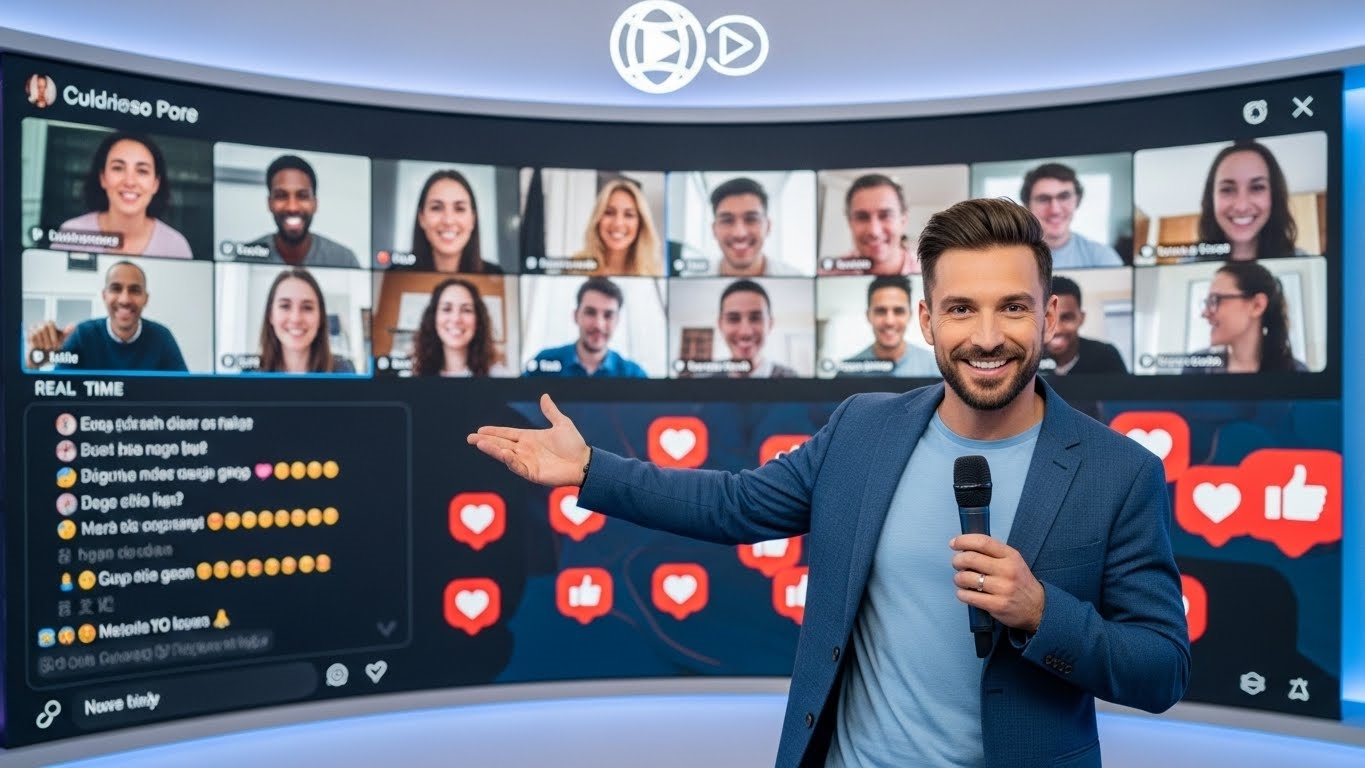
What makes millions pause their scrolling, lean in, and commit to an unscripted moment? It’s the electrifying pulse of now, delivered directly to their screens. Social media live streaming isn’t merely another video format; it’s a dynamic, real-time broadcast shared instantly on platforms, fundamentally distinct from its polished, pre-recorded counterparts. This isn’t about meticulously edited narratives; it’s about the unvarnished truth unfolding before your eyes.
Defining the Live Imperative
At its core, social media live streaming is about immediacy. Imagine a direct, unfiltered conduit from creator to audience, where every frame is fresh, every word spontaneous. This direct-to-platform broadcast capability bypasses traditional production cycles, offering an unparalleled sense of presence. It’s the digital equivalent of being front-row at an event, a participant rather than a passive observer.

The Irresistible Pull of Authenticity
The enduring allure of live content stems from its inherent authenticity. There’s a magnetic pull in the unscripted, the raw, the moments where anything could happen. This fosters genuine connection, allowing for direct engagement through real-time comments and questions. Brands and individuals alike leverage this to build trust and community, transforming passive viewership into active participation. It’s the thrill of the unexpected, the shared experience of an unfolding story.
A Decade of Growth and Engagement
This isn’t a fleeting trend; it’s a foundational shift in media consumption. The appetite for live content has surged dramatically, with internet users regularly consuming live video since as early as 2008. What began as niche experiments has blossomed into a mainstream phenomenon, driven by platforms making live broadcasting accessible to everyone. This sustained growth underscores a profound audience preference for immediate, interactive experiences over static content.

Launching Your Live Broadcast: A Platform-by-Platform Playbook
Executing a compelling live stream requires more than just hitting a “Go Live” button; it demands strategic foresight and a nuanced understanding of each platform’s unique ecosystem. Before diving into the technicalities, a crucial first step involves strategic platform selection. Identifying precisely where your target audience congregates is paramount for optimal reach and engagement. Are they scrolling through short-form video feeds, engaging in professional discourse, or seeking in-depth tutorials? Your content’s natural home dictates your primary broadcast channel.
The power of live streaming lies in its ability to foster authentic, direct engagement, delivering unscripted moments that captivate audiences in real-time. This immediacy, combined with the distinct characteristics of each platform, shapes how you approach your broadcast. Understanding these nuances is key to transforming a simple stream into a dynamic, interactive experience.

Going Live on Facebook
Facebook offers versatile options for live broadcasting.
- Mobile: Open the Facebook app, tap ‘What’s on your mind?’ or the ‘Live’ button, then select ‘Live Video’. You can add a description, tag friends, and choose your audience before tapping ‘Start Live Video’.
- Desktop: Navigate to Meta Business Suite or Creator Studio. Click ‘Go Live’, then select ‘Create Live Video’. You’ll configure your stream details, choose your camera/microphone, and either use your webcam or connect streaming software before initiating the broadcast.
Instagram Live: Instant Connection
Instagram’s live feature is inherently mobile-first, designed for immediate, unfiltered sharing. From the Instagram app, swipe right from your feed to open the camera, then scroll to ‘Live’ at the bottom. Add a title, and tap the circular ‘Live’ button to begin. Viewers receive notifications, and you can invite guests to join your stream.

LinkedIn Live: Professional Reach
LinkedIn Live caters to professional content, making it ideal for industry discussions, Q&As, and thought leadership. As of September 2022, LinkedIn Live requires users to apply for access and typically relies on third-party broadcasting tools. Eligibility criteria include having a strong track record of content creation and a significant follower count. Once approved, you’ll connect your LinkedIn account to a supported streaming platform to broadcast.
X/Twitter Live: Real-Time Dialogue
Broadcasting on X (formerly Twitter) is straightforward. Open the X app, tap the camera icon, and select ‘Live’. You can add a description and location before tapping ‘Go Live’. This simplicity makes it excellent for breaking news, quick updates, or real-time commentary, integrating seamlessly with the platform’s conversational nature.

YouTube Live: Diverse Streaming Options
YouTube provides robust live streaming capabilities for various content creators.
- Webcam: From a desktop, go to YouTube Studio, click ‘Create’, then ‘Go Live’. Select ‘Webcam’ and configure your stream.
- Mobile: To go live from a mobile device, your channel typically needs at least 50 subscribers. Open the YouTube app, tap ‘Create’, then ‘Go Live’.
- Encoder: For higher production value, connect an encoder (software or hardware) to YouTube. This allows for multi-camera setups, screen sharing, and advanced graphics, ideal for professional broadcasts.
TikTok Live: Engaging a Dynamic Audience
TikTok Live is a powerful tool for direct audience interaction, but it comes with specific prerequisites. Generally, users must be at least 16 years old and have a minimum of 1,000 followers to unlock the ‘Live’ feature. Once eligible, open the TikTok app, tap the ‘+’ icon, swipe to ‘LIVE’, add a title, and tap ‘Go LIVE’.

Twitch: Dedicated Streaming Ecosystem
Twitch is synonymous with live streaming, particularly for gaming and ‘Just Chatting’ (IRL) content. While you can stream directly from consoles, most serious streamers use dedicated broadcasting software like OBS Studio or Streamlabs Desktop. After connecting your Twitch account to your chosen software, you configure your stream key and settings, then hit ‘Start Streaming’.
Multi-Platform Live Streaming
For marketers aiming for maximum reach, multi-platform live streaming, or simulcasting, is a game-changer. This involves broadcasting your single live feed to multiple platforms simultaneously.

Third-party solutions like StreamYard, Restream, and OBS Studio (with appropriate plugins or custom RTMP setups) facilitate this. These tools act as a central hub, ingesting your stream and distributing it to your chosen destinations.
| Platform | Primary Use Case | Key Requirement/Note |
|---|---|---|
| Community, Events | Mobile/Desktop options | |
| Instant, Visual | Mobile only | |
| Professional | Application, 3rd-party tools | |
| X/Twitter | Real-time Updates | Simple mobile interface |
| YouTube | Tutorials, Gaming | Subscriber count for mobile |
| TikTok | Engagement, Trends | 1,000 followers, 16+ years |
| Twitch | Gaming, IRL | Dedicated streaming software |
When considering multi-platform streaming, practical considerations include managing comments from disparate platforms, ensuring consistent branding, and having a robust internet connection to handle the increased bandwidth demands. The payoff, however, is a significantly expanded audience footprint from a single production effort.

Mastering Impactful Live Streaming: Three Essential Strategies
The allure of live streaming lies in its immediacy and authenticity, but transforming a broadcast into a truly impactful experience requires deliberate strategy. In 2026, the bar for engaging, high-quality live content is higher than ever. Here are three core strategies to elevate your social media live streams from mere broadcasts to memorable, community-building events.
Cultivate Real-Time Connection
The magic of live streaming isn’t just broadcasting; it’s the immediate, unscripted connection with your audience. Viewers in 2026 expect more than just passive consumption; they crave interaction. To truly captivate, you must actively engage. This means more than just glancing at the comment feed. Acknowledge viewers by name – “Great to see you, Alex!” or “Thanks for joining from Berlin, Maria!” – and respond directly to their questions and comments. Think of your live stream as a dynamic conversation, not a monologue.

- Proactive Engagement: Don’t wait for questions. Pose open-ended questions to your audience. Run quick polls on platforms that support them, inviting immediate participation.
- Contextual Acknowledgment: If someone shares a relevant anecdote or a sharp insight, weave it into your discussion. This makes participants feel valued and heard, fostering a strong sense of community.
- Welcome Newcomers: As new viewers join, a quick, friendly welcome can significantly boost their retention. “Welcome to everyone just tuning in!” keeps the atmosphere inviting and inclusive.
This constant, authentic dialogue transforms a broadcast into a shared experience, building loyalty far beyond what pre-recorded content can achieve.
Technical Polish and Content Structure
A compelling message can be lost without a solid technical foundation and a clear content trajectory. Viewers in 2026 have high standards for production quality. Prioritizing clear audio and visuals is non-negotiable.
Essential Setup Components:
| Component | Recommendation | Impact |
|---|---|---|
| Audio | External USB microphone (e.g., Rode NT-USB+, Blue Yeti) | Crisp, clear voice; paramount for viewer retention. |
| Video | Dedicated webcam (Logitech Brio) or DSLR/mirrorless via capture card | Sharp, professional visuals; enhances credibility. |
| Lighting | Ring light or softbox setup | Eliminates shadows, brightens subject; crucial for visual appeal. |
| Internet | Wired Ethernet connection (minimum 25 Mbps upload) | Prevents buffering, ensures smooth delivery. |
| Background | Clean, uncluttered, well-lit space | Minimizes distractions, maintains focus on presenter. |
Beyond the gear, consider your content flow. Live streams often have fluctuating audiences, with people joining and leaving. Periodically recap key points or reintroduce the topic to ensure latecomers can follow along. Utilize on-screen graphics or lower-third text to display the current topic or speaker’s name. A clear content roadmap, even if flexible, prevents aimless wandering. Outline your main discussion points, planned demonstrations, and Q&A segments. This structure provides a professional anchor, allowing for spontaneous interaction without losing direction.
Strategic Promotion and Data-Driven Refinement
Even the most engaging live stream needs an audience. Building anticipation is critical. Announce your upcoming streams across all your active channels – social media posts, email newsletters, website banners, and even in-app notifications. Craft compelling teasers that highlight the unique value proposition: What will viewers learn? What exclusive insights will they gain? Use countdown timers and “add to calendar” links to maximize attendance.
Once the stream concludes, the work isn’t over. The real gold lies in the analytics. Dive deep into the data provided by each platform:
- Peak Concurrent Viewers: How many watched at the highest point?
- Average Watch Time: How long did viewers stay engaged?
- Engagement Rate: Comments, reactions, shares per viewer.
- Audience Demographics: Who tuned in?
- Drop-off Points: Where did viewers leave the stream?
Analyzing these metrics offers invaluable insights. Did a particular segment cause a significant drop-off? Did a specific call-to-action generate high engagement? Use these findings to refine your content strategy, optimize future stream timings, and fine-tune your promotional tactics. This iterative process of promotion, execution, and analysis is the bedrock of sustained live streaming success.
FAQ
How can live streamers monetize content?
Revenue streams include virtual gifts, subscriptions, sponsorships, affiliate marketing, and direct donations.
What legal considerations apply to live streams?
Copyright, privacy, data protection, and consent are crucial legal aspects.
How to ensure live stream accessibility?
Provide closed captions, sign language interpretation, and descriptive audio options.
What are common live stream technical issues?
Connectivity drops, audio sync problems, and software glitches frequently occur.


