pryanicom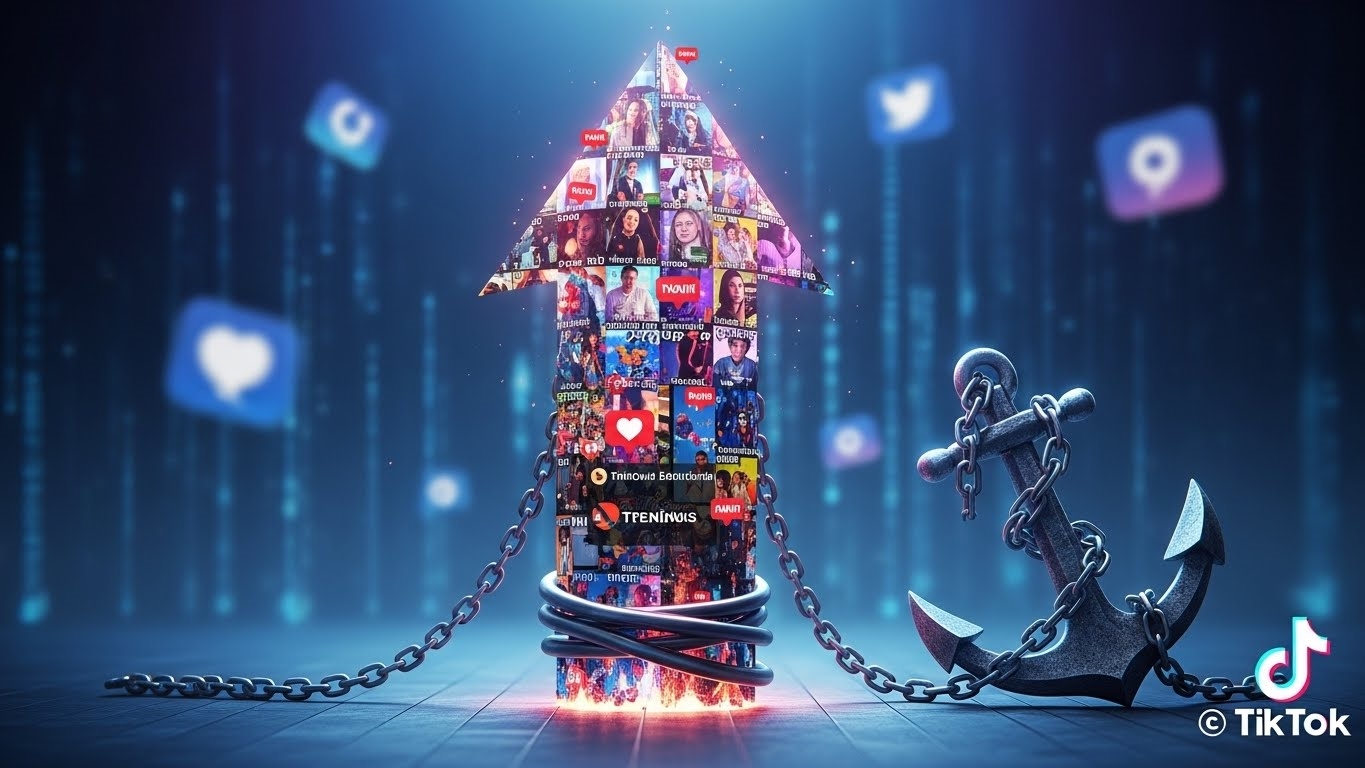
Imagine crafting a viral sensation, a piece of content so compelling it demands to be seen everywhere. Now, picture that masterpiece carrying a persistent, bouncing digital signature that subtly limits its reach and impact across other platforms. This isn’t a hypothetical scenario; it’s the reality of the TikTok watermark, and understanding its implications is paramount for any creator or brand aiming for maximum visibility in 2026.
At its core, the TikTok watermark is the platform’s ubiquitous graphic overlay, typically featuring its distinctive logo and the original poster’s username. It’s a clever, often bouncing, visual tag that serves as both branding and attribution within the TikTok ecosystem. However, for those looking to extend their content’s lifecycle beyond its native home, this seemingly innocuous mark transforms into a significant hurdle, demanding strategic removal to truly unleash content’s cross-platform power.

Defining the TikTok watermark
This digital signature is more than just a fleeting graphic; it’s an indelible stamp. Each video downloaded directly from TikTok arrives with this overlay, a dynamic identifier that moves around the screen. Its purpose is clear: to brand the content as originating from TikTok and to credit the creator within that specific environment. While effective for internal attribution, its presence elsewhere can trigger unforeseen consequences for content strategists.
Why remove the TikTok watermark
The strategic imperative to remove this watermark stems from several critical factors. First, cross-platform content repurposing is a cornerstone of efficient content strategy. A single, high-performing video can fuel engagement across Instagram Reels, YouTube Shorts, Facebook, and even X. However, platforms like Instagram have openly stated policies that deprioritize content bearing rival watermarks. This isn’t just a minor algorithmic tweak; it can significantly throttle your reach, effectively penalizing your content for carrying another platform’s branding. Removing the watermark ensures your content is treated as native and original, maximizing its potential for algorithmic favor and, consequently, visibility across diverse audiences. It’s about ensuring your content competes on a level playing field, free from visual impediments that signal its origin from a competitor.

Ethical considerations for TikTok watermark removal
While the benefits of watermark removal are clear, the ethical boundaries are equally sharp. The golden rule is absolute: you should only remove the watermark from content you created and own. Repurposing your own content, free of the TikTok branding, is a legitimate strategy for expanding your reach. However, removing the watermark from someone else’s content, even if you intend to credit them, blurs the lines of attribution and can lead to serious copyright infringement issues. Proper attribution is non-negotiable. Always ensure that the original creator is credited, especially if you’re sharing their work. Failing to respect this boundary isn’t just poor etiquette; it invites significant legal and reputational risks, undermining the very trust creators strive to build.
Mastering Watermark-Free TikTok Content
For creators and marketers navigating the dynamic currents of content distribution, the TikTok watermark presents a unique challenge. While an integral part of the platform’s branding, its presence can impede the seamless repurposing of content across other channels. Fortunately, a suite of practical methods exists to address this, ranging from straightforward mobile adjustments to more sophisticated desktop and proactive strategies. Understanding these techniques is paramount for maintaining content integrity and maximizing reach.

The strategic imperative behind these methods is clear: to enable seamless cross-platform content repurposing, circumvent algorithmic deprioritization by platforms like Instagram, and ultimately maximize content visibility. Each approach offers distinct advantages and trade-offs, making the choice dependent on your specific needs, technical comfort, and the nature of the video itself.
Mobile Solutions for Watermark Removal
Mobile devices, being the primary creation and consumption hubs for short-form video, offer several avenues for tackling the watermark.

Cropping for a Clean Frame
The simplest, most immediate method involves cropping the video. Most native photo and video editors on iOS and Android devices allow you to trim the edges of your footage. This can effectively remove the watermark if it resides in a clear, non-essential area of the frame. However, this technique comes with significant considerations. Cropping inevitably alters the video’s aspect ratio, potentially shifting from TikTok’s native 9:16 to a square 1:1 or a wider 4:5. This might necessitate a redesign of your visual composition or lead to the loss of crucial visual information. It’s a quick fix best suited for videos where the watermark is isolated and the frame can spare the reduction.
Dedicated Apps for Quick Removal
A more targeted approach involves specialized applications designed specifically for watermark removal. These tools streamline the process, often requiring little more than pasting a TikTok video link. Applications like SnapTik exemplify this category. The typical workflow is remarkably simple:

- Open the TikTok app and locate the video you wish to download.
- Tap the “Share” icon and select “Copy Link.”
- Open the dedicated watermark removal app (e.g., SnapTik).
- Paste the copied link into the app’s designated field.
- Initiate the download, often with an option for watermark-free output.
These apps are lauded for their speed and ease of use, making them a popular choice for creators on the go. However, users should be mindful of potential downsides, including frequent in-app advertisements and varying levels of data privacy.
Advanced Video Editing Tools
For those seeking greater precision and control, employing comprehensive video editing tools offers a robust solution. Apps like Video Eraser (available on iOS) or similar powerful editors on Android provide features that go beyond simple cropping. These tools often utilize content-aware fill algorithms or overlay techniques to obscure or remove the watermark. The process can be more intricate, sometimes involving:

- Masking and Blurring: Applying a blur or mosaic effect over the watermark’s path.
- Content-Aware Fill: Attempting to intelligently fill the area where the watermark was, using surrounding pixels.
- Multi-Stage Removal: For bouncing watermarks, this might involve tracking its movement and applying a patch or fill across multiple frames.
While demanding a steeper learning curve and more time, this method yields the highest quality results, preserving the original aspect ratio and visual integrity of the content.
Desktop Strategies for Clean Downloads
For users who prefer working on a larger screen or require batch processing, web-based solutions accessed via a desktop browser provide an efficient alternative.

Web-Based Solutions
Platforms like MusicallyDown offer a straightforward, browser-based method for downloading TikTok videos without the watermark. The process mirrors that of dedicated mobile apps:
- Navigate to the desired TikTok video in your browser or the TikTok app.
- Copy the video’s URL.
- Open your web browser and go to a service like MusicallyDown.
- Paste the URL into the input field on the website.
- Click the download button and select the watermark-free option.
These services are convenient as they require no software installation and are often free to use. However, their reliability can fluctuate, and users should be prepared for advertisements and ensure the site is reputable before pasting links.

Proactive Watermark Prevention
The most foolproof method for obtaining a TikTok video without a watermark is to prevent its application in the first place.
Screen Recording Before Publishing
This proactive technique involves capturing your content before it ever touches the TikTok platform. Instead of downloading a video that has already been processed and watermarked by TikTok, you record your own footage directly from your device’s screen or camera roll.

- For original content: Create your video using your phone’s camera or a third-party editor. Before uploading to TikTok, use your device’s native screen recording function (available on most modern iOS and Android devices) to capture the final cut. This ensures you have a pristine version without any platform branding.
- For drafts: If you’ve edited a video within TikTok but haven’t published it, you can often screen record the draft preview. Be cautious to minimize UI elements appearing in your recording.
This method guarantees the highest quality, original aspect ratio, and complete absence of any watermarks, offering unparalleled flexibility for cross-platform deployment.
Strategic Choices for Watermark-Free TikTok
Navigating the landscape of TikTok watermark removal demands a discerning eye. With a plethora of tools promising pristine, watermark-free content, understanding their nuances is paramount for any creator serious about cross-platform distribution. The choice isn’t merely about functionality; it’s about balancing efficiency, cost, and long-term reliability.

Evaluating Removal Apps and Tools
When assessing the myriad of applications and web-based utilities designed to strip the TikTok watermark, several critical factors come into play.
- Free vs. Paid Options: The allure of “free” is powerful, but it often comes with trade-offs. Free tools frequently embed intrusive advertisements, sometimes to the point of disrupting the user experience. They might also impose limitations on daily downloads, video quality, or file size. Paid subscriptions, conversely, typically offer an ad-free environment, higher processing speeds, batch downloads, and dedicated customer support. For a creator with high volume needs, the investment in a paid solution often translates to significant time savings and a smoother workflow.
- Ad Frequency and Intrusiveness: This is a major differentiator. Some free apps bombard users with full-screen video ads after every single download, turning a quick task into a frustrating ordeal. Others might display banner ads that are less disruptive. Evaluate how much patience you have for commercial interruptions versus the value of the free service.
- User Reviews and Reputation: Before committing to any tool, delve into user reviews on app stores, independent tech blogs, and creator forums. Look for consistent feedback regarding effectiveness, video quality preservation, ease of use, and customer service responsiveness. A tool with a history of positive, recent reviews is generally a safer bet.
- Potential API Dependencies: This is a technical, yet crucial, consideration. Many third-party watermark removal tools operate by interacting with TikTok’s underlying infrastructure, often via undocumented APIs. If TikTok alters its API or implements new security measures, these tools can suddenly cease to function, rendering them useless until developers issue an update—if they even can. This inherent fragility underscores the importance of reliability checks and perhaps having a backup method.
Top 3 Removal Considerations
Choosing the optimal method boils down to a strategic alignment of your priorities.

- Ease of Use: How quickly can you get from a TikTok video link to a clean, downloadable file? For creators managing multiple pieces of content daily, a streamlined, intuitive interface is invaluable. Tools that require minimal clicks and offer clear instructions will always win out over complex, multi-step processes.
- Cost: This isn’t just about monetary expense. It encompasses the “cost” of your time spent watching ads, the potential degradation of video quality with free options, or the opportunity cost of not being able to repurpose content efficiently. Weigh the financial outlay against the tangible benefits of a premium, reliable service.
- Reliability: Does the tool consistently deliver? Does it maintain the original video resolution and frame rate? Does it frequently break down or fail to process videos? A reliable tool ensures your content pipeline remains uninterrupted, preventing last-minute scrambling when a crucial video needs to go live.
| Feature Category | Free Tools (Typical) | Paid Tools (Typical) |
|---|---|---|
| Ads | Frequent, intrusive | None or minimal |
| Speed | Slower, rate-limited | Faster, unlimited |
| Quality | Variable, sometimes lower | High, original quality |
| Support | Limited, community-based | Dedicated, responsive |
| Reliability | Prone to breakage | More stable, updated |
Maximizing Content Reach
The strategic benefits of repurposing watermark-free TikTok videos are undeniable. Removing that bouncing logo isn’t just about aesthetics; it’s a calculated move to amplify your content’s impact across diverse platforms.
- Algorithm Preference: Platforms like Instagram, YouTube Shorts, and Facebook Reels are designed to promote native content. Videos bearing a competitor’s watermark are often deprioritized by their algorithms, significantly reducing their organic reach. A clean video, however, is treated as original content, giving it a much better chance of appearing in users’ feeds and recommendations.
- Professional Presentation: A video devoid of external branding appears more polished and professional. It allows your own brand, message, or aesthetic to shine through without visual clutter, reinforcing your identity across all touchpoints.
- Unimpeded Visuals: The watermark, by its very nature, can obscure crucial visual elements, text overlays, or even the main subject of your video. Removing it ensures your audience sees your content exactly as intended, without any visual impediments detracting from the message or entertainment value.
- Expanded Audience Engagement: By seamlessly repurposing content, you tap into new audiences who might not be active on TikTok but frequent other platforms. This broadens your potential reach, fosters community growth, and diversifies your content distribution strategy, ultimately leading to greater overall engagement and visibility for your creative work.
FAQ
Are there legal risks removing watermarks?
Removing watermarks from content you do not own risks copyright infringement lawsuits.
Does TikTok support watermark removal?
TikTok does not officially endorse third-party watermark removal tools.
Does removal always degrade video quality?
Cropping or overlaying can reduce quality. AI methods minimize degradation.
Can platforms detect removed watermarks?
Some platforms use advanced algorithms to identify repurposed content.