pryanicom
What if every scroll past your content was a missed opportunity? In 2026, the average user encounters thousands of visual messages daily, making the battle for attention fiercer than ever. This isn’t just about posting; it’s about precision and purpose.
Defining Visual Storytelling
At its core, social media design is the deliberate art of creating compelling visual assets tailored for platforms like Instagram, Facebook, and TikTok. This encompasses everything from the vibrant static posts that punctuate a feed, to the ephemeral, dynamic stories that capture fleeting moments, and even the subtle yet critical profile images that serve as your brand’s digital handshake. It’s the visual language your brand speaks, translating complex messages into digestible, engaging imagery that resonates instantly.
The Imperative of Aesthetic Command
Why does this matter so profoundly? Because exceptional social media design is the bedrock of brand recognition, the silent architect of aesthetic appeal, and the magnetic force that captures audience attention in feeds overflowing with content. A meticulously crafted visual identity cuts through the noise, establishing immediate credibility and fostering an emotional connection. It transforms passive viewers into engaged followers, making your brand not just seen, but remembered.
Brands That Master the Canvas
Consider the diverse visual strategies that dominate. Nike consistently deploys aspirational, high-energy visuals that evoke movement and achievement, instantly recognizable across any platform. Then there’s Oatly, which leverages quirky, often hand-drawn aesthetics and bold, irreverent typography to build a distinct, approachable personality. Or take Apple, whose minimalist, product-focused imagery speaks volumes about premium quality and sleek innovation without a single word. These brands don’t just post; they curate experiences, demonstrating that effective social media design isn’t a luxury—it’s a strategic imperative.
Unlocking Social Media Design’s Potential
To truly dominate the digital conversation, simply having a presence isn’t enough. You need a meticulously crafted visual strategy that resonates deeply with your target audience. This isn’t about throwing up pretty pictures; it’s about a systematic approach, beginning with audience research. Understanding who you’re speaking to—their demographics, psychographics, and platform habits—is the bedrock upon which all successful visual communication is built. From there, mood boards become indispensable tools, acting as visual blueprints that ensure consistency across all touchpoints. These aren’t just for designers; they’re collaborative assets that align teams on recurring themes, color palettes, and overall aesthetic. Remember, each platform demands adaptation; what thrives on TikTok’s rapid-fire video format might fall flat on LinkedIn’s professional feed. And timing? It’s everything. Strategic timing for your posts can amplify reach and engagement exponentially.
The core value of social media design lies in its ability to establish brand recognition, enhance aesthetic appeal, and capture audience attention in crowded feeds. It’s the silent ambassador for your brand, speaking volumes before a single word is read.
Beyond strategy, the application of fundamental design principles elevates content from mere imagery to compelling visual narratives. Think about the rule of thirds for balanced composition, guiding the viewer’s eye naturally. A clear subject focus ensures your message isn’t lost in visual clutter. Consider the impact of appropriate lighting, which can instantly set a mood or highlight critical details. Contrast isn’t just about dark text on a light background; it’s about creating visual interest and ensuring readability. Complementary colors, when used judiciously, can evoke specific emotions and strengthen brand recall. Above all, embrace simplicity. Overly complex designs often confuse more than they inform.
Technical Precision Matters
Ignoring technical specifications is a rookie mistake that can undermine even the most brilliant creative concept. Correct image sizing for each platform is non-negotiable. An image perfectly optimized for Instagram Stories will look pixelated or awkwardly cropped on a Facebook cover photo.
| Platform | Recommended Image Size (px) | Aspect Ratio |
|---|---|---|
| 1080 x 1080 (Square) | 1:1 | |
| 1200 x 630 (Link Share) | 1.91:1 | |
| 1200 x 627 (Post Image) | 1.91:1 | |
| X (Twitter) | 1600 x 900 (In-stream photo) | 16:9 |
Furthermore, the text you overlay on visuals must be tasteful, legible, and grammatically impeccable. Choose fonts that align with your brand voice, ensure sufficient contrast against the background, and always, always proofread.
Ethical Design First
In 2026, ethical considerations are not optional; they are foundational. Copyright compliance is paramount—never use imagery or audio you don’t have the rights to. Mindful representation is equally critical; ensure your visuals reflect diverse perspectives and avoid stereotypes. This builds trust and broadens your appeal. Crucially, prioritize accessibility. Features like alt-text for images and subtitles for videos aren’t just good practice; they ensure your content is consumable by everyone, including those with visual or auditory impairments.
Optimize for Discovery
Even the most stunning design needs to be found. Optimize your social media design for search visibility. Integrate relevant keywords into your image descriptions and alt-text. Use descriptive language that provides context and helps search algorithms understand your content. And, of course, leverage relevant hashtags strategically. These aren’t just for trending topics; they’re powerful tools for categorization and discovery, connecting your visuals with interested audiences.
Fueling Engagement with Creativity
Finally, the differentiator: cultivating creativity. In a sea of content, standing out is paramount. Don’t be afraid to experiment, to draw inspiration from diverse examples—from art history to emerging design trends. The goal is to generate engagement, to spark conversation, and to leave a lasting impression. Authenticity and originality are your greatest assets here. Push boundaries, tell stories, and let your visuals speak volumes.
Mastering Social Design: Tools and Talent
Crafting compelling visuals for social platforms isn’t just about artistic flair; it’s a strategic imperative. Fortunately, a robust ecosystem of tools and resources exists to empower creators, from solo entrepreneurs to expansive marketing teams. Understanding when to leverage accessible platforms, tap into free assets, or engage professional expertise can dramatically elevate your brand’s visual narrative.
Essential Tools for Creation
The barrier to entry for producing polished social media visuals has never been lower, thanks to intuitive design platforms. These tools democratize design, offering powerful features without requiring a graphic design degree.
- Canva: This platform reigns supreme for its drag-and-drop simplicity and extensive library of templates tailored for every conceivable social format—from Instagram Stories to LinkedIn banners. Its collaborative features make team workflows seamless, allowing multiple users to contribute and review designs.
- Adobe Express: Adobe’s answer to rapid content creation, Express leverages the company’s deep design heritage. It excels in quick-turnaround graphics, offering branded templates, font integration, and a suite of “quick actions” for tasks like background removal or video resizing. It’s particularly potent for those already within the Adobe ecosystem.
- Easelly: When your message demands visual data, Easelly shines. Specializing in infographics and data visualization, it transforms complex information into digestible, shareable graphics through a template-driven approach.
- Pixlr: For those needing more granular image manipulation without the full commitment of professional desktop software, Pixlr offers a powerful web-based photo editor. It’s excellent for refining images—adjusting colors, cropping, adding effects—before integrating them into your final social design.
Here’s a quick comparison of these accessible powerhouses:
| Tool | Primary Strength | Ease of Use | Template Variety | Advanced Editing | Best For |
|---|---|---|---|---|---|
| Canva | All-in-one graphic design | Very High | Extensive | Moderate | General social posts, presentations |
| Adobe Express | Branded quick content | High | Good | Moderate | Brand consistency, rapid creation |
| Easelly | Infographics, data visuals | Moderate-High | Specialized | Basic | Explaining complex data visually |
| Pixlr | Web-based photo editing | Moderate | Limited | High | Image enhancement, quick photo edits |
Unlocking Free Design Resources
Beyond dedicated design software, a treasure trove of free resources can significantly enhance your social media visuals. Leveraging these assets intelligently can save budget without compromising quality.
- Stock Photos: Platforms like Unsplash, Pexels, and Pixabay offer vast collections of high-resolution, royalty-free images. The key is to select photos that genuinely resonate with your brand’s aesthetic and message, avoiding generic or overused imagery. Look for authentic, diverse, and visually striking options that tell a story.
- Customizable Templates: Many of the tools mentioned above, even in their free tiers, provide a substantial array of customizable templates. Additionally, some social platforms themselves offer native template options, and various independent design asset sites frequently release free template packs. These serve as excellent starting points, allowing you to quickly adapt designs to your brand’s colors and fonts.
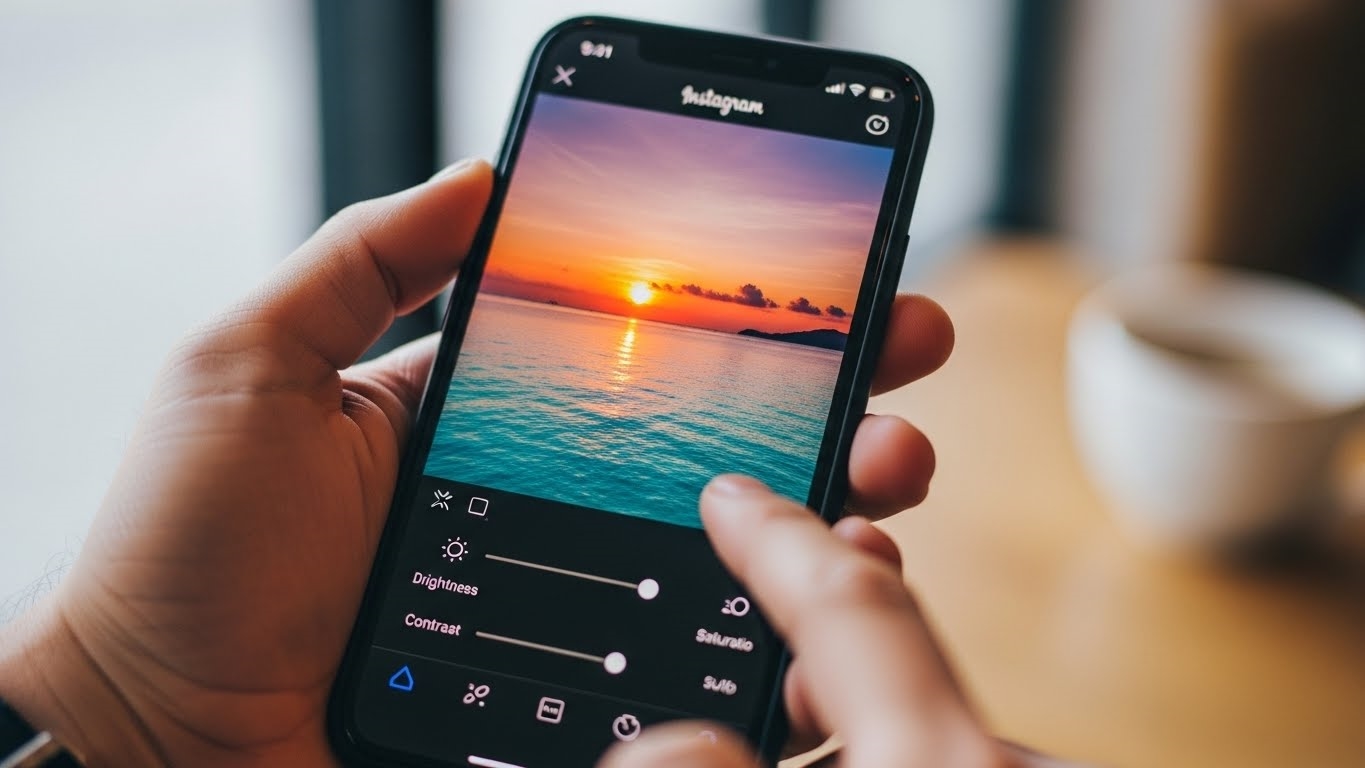
- Editing Presets and Filters: Achieving a consistent visual tone across your content is paramount. Free mobile editing applications like VSCO or Lightroom Mobile (with its free features) offer a wide range of presets and filters. Applying a consistent filter or color grade to your images creates a cohesive look, instantly elevating your brand’s visual identity.
When to Engage Professional Expertise
While accessible tools empower in-house creation, there comes a point where professional design expertise becomes invaluable. Knowing when to hire a specialist can be a game-changer for scaling your visual strategy.
- Evaluating Portfolios: When considering a designer, scrutinize their portfolio for consistency, creativity, and a clear understanding of marketing objectives. Look for examples that demonstrate platform-specific optimization and a track record of delivering designs that align with diverse brand identities. Request case studies that detail their process and impact.
- Understanding Pricing Structures: Professional designers typically offer various pricing models: hourly rates for smaller tasks, project-based fees for defined deliverables, or retainer agreements for ongoing work. Be clear about the scope, expected revisions, and deliverables upfront. A detailed quote should outline all costs, preventing surprises.
- Providing Clear Brand Guidelines: The most crucial step in working with a professional is equipping them with comprehensive brand guidelines. This document should detail everything from logo usage, color palettes (with HEX/RGB codes), typography, and imagery style to your brand’s voice and tone. Clear guidelines ensure the designer can accurately translate your brand’s essence into every visual, maintaining consistency and authenticity across all touchpoints.
Bringing in a professional designer can unlock unique visual identities, save significant time, and ensure your brand remains at the forefront of design trends and platform nuances. It’s an investment in distinctiveness and scalability.
FAQ
How to measure design effectiveness?
Focus on click-through rates, time spent viewing, conversion rates. A/B test different visual elements.
How does AI assist design?
AI helps content generation, image optimization, personalized recommendations, trend analysis.
What legal issues beyond copyright?
Consider trademark infringement, proper font licensing, model releases, data privacy.
How to repurpose content effectively?
Adapt core message, adjust aspect ratios, modify text length, use platform-specific features.