pryanicom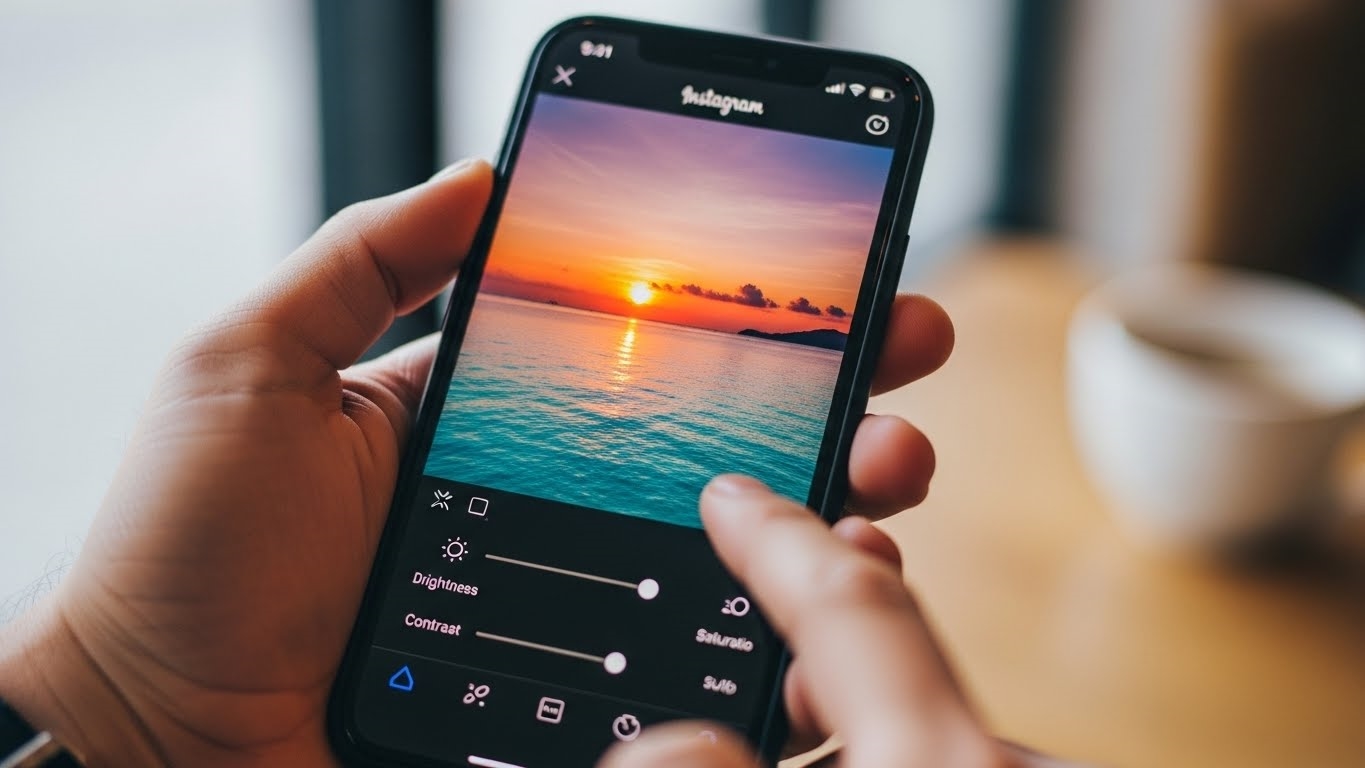
What if the secret to captivating your audience wasn’t a complex suite of external apps, but rather the powerful tools already at your fingertips? In 2026, the foundational principles of visual storytelling remain paramount, and mastering Instagram’s built-in editing capabilities is your first, most crucial step toward cultivating a truly engaged community. This isn’t about superficial tweaks; it’s about refining your visual narrative to resonate deeply.
The Foundation: Capturing Excellence
Every compelling post begins long before you tap “share.” Prioritize natural light – it’s the most sophisticated illuminator available, lending authenticity and depth. Leverage your device’s HDR mode to capture a broader range of tones, preventing blown-out highlights or crushed shadows. Don’t be shy; take multiple shots from various angles. Finally, ensure your images are correctly sized, ideally at least 1080 pixels wide, to guarantee crispness and avoid pixelation that can undermine even the most artful composition. Think of your raw photo as a rough diamond; its inherent quality dictates its potential brilliance.

Polishing with Instagram’s Editor
Once uploaded, Instagram transforms into your digital darkroom. Begin by exploring the filters – ‘Clarendon’ for an instant boost, ‘Gingham’ for a vintage touch, or ‘Inkwell’ for dramatic monochrome. Remember, filters are starting points; tap again to adjust their intensity. For granular control, dive into the ‘Edit’ function. Here, you can meticulously adjust brightness to illuminate, contrast to define, warmth to set a mood, and saturation to make colors pop or recede. Fine-tune highlights and shadows to recover detail, and add a subtle vignette to draw the eye inward. Each slider offers a precise opportunity to elevate your image from merely presentable to truly captivating.
Streamlining Your Workflow
Posting multiple images? Instagram allows you to edit each photo individually within a carousel, ensuring visual cohesion across your narrative. And for those moments when inspiration strikes but timing isn’t right, utilize the save as draft option. This allows you to perfect your visual story and return to it later, ensuring every post is a deliberate, polished piece of content.

Mastering Visual Storytelling: Advanced Editing and Influencer Tactics
Moving beyond Instagram’s foundational filters and basic sliders unlocks a new dimension of visual storytelling. While the in-app tools provide a solid starting point, true visual mastery on the platform demands a more sophisticated approach, leveraging external applications and a strategic mindset. This is where the craft of advanced photo editing truly begins, transforming good images into captivating narratives.
Refine Composition and Detail
Before diving into the vibrant world of color and tone, a critical first step involves perfecting the image’s foundational elements. Mastering Instagram photo editing for quality engagement involves a meticulous approach, starting with fundamental adjustments and progressing to more sophisticated techniques that elevate visual storytelling. This means scrutinizing composition and eliminating distractions. Tools for straightening horizons or architectural lines are indispensable; a slightly tilted image can subtly undermine professionalism. Similarly, strategic cropping isn’t just about fitting a frame; it’s about guiding the viewer’s eye, adhering to principles like the rule of thirds, or creating a sense of intimacy or grandeur.

Beyond structural integrity, meticulous detail enhancement sets professional-grade images apart. Before any color correction or stylistic grading, utilize spot-removing tools to meticulously clean up your images. Think of it as preparing a pristine canvas. This involves banishing dust specks, stray hairs, minor sensor blemishes, or any other visual noise that detracts from the subject. Applications like Adobe Lightroom’s healing brush or similar features in other dedicated photo editors offer unparalleled precision, allowing you to seamlessly erase imperfections without leaving a trace. This pre-emptive cleaning ensures that subsequent color and light adjustments are applied to an unblemished foundation, yielding a far more polished final product.
Forge a Signature Visual Style
Cultivating a consistent visual aesthetic is paramount for building a recognizable brand or personal identity on Instagram. Your profile’s overall grid layout should be considered a cohesive portfolio, where each image contributes to a larger narrative. This means maintaining uniform tones across your posts, whether your signature is a warm, inviting glow, a vibrant and energetic palette, or a soft, dreamy pastel wash. This consistency helps viewers instantly recognize your content and fosters a sense of trust and familiarity. Achieving this often requires mixing and matching various editing tools and apps, understanding that no single application provides every desired effect. It’s about building a personalized workflow that layers adjustments from different platforms to achieve your unique vision.

Influencer Editing Secrets
The seemingly effortless perfection seen in many high-profile Instagram feeds is rarely the result of a single tap. Professional Instagram photo editing, particularly among influencers, involves a sophisticated multi-app workflow. They don’t just pick one filter; they orchestrate a symphony of adjustments across several specialized applications to achieve their desired look. This layered approach allows for granular control over every aspect of an image, from subtle cosmetic tweaks to dramatic atmospheric shifts.
Consider the common pairing of Facetune and Lightroom. Facetune is frequently employed for its precise cosmetic adjustments. This might include subtle skin smoothing, teeth whitening, or even minor reshaping of features – always with an emphasis on maintaining authenticity and avoiding an “over-edited” appearance. The goal is enhancement, not transformation. Following these initial refinements, the image often moves to a powerhouse like Adobe Lightroom. Here, the focus shifts to comprehensive lighting, contrast, and color grading. Influencers leverage Lightroom’s advanced tools for white balance correction, exposure adjustments, shadow and highlight recovery, and intricate color manipulation via HSL (Hue, Saturation, Luminance) sliders. The application of custom presets further streamlines this process, ensuring brand consistency across a vast library of content.

| Editing Focus | Primary App Example | Specific Use Case |
|---|---|---|
| Composition | Lightroom | Straightening, precise cropping, perspective correction |
| Detail Cleaning | Lightroom, Snapseed | Spot removal, object removal, healing brush |
| Cosmetic Refinement | Facetune | Skin smoothing, teeth whitening, subtle reshaping |
| Global Color/Light | Lightroom | Exposure, contrast, white balance, color grading |
| Stylistic Filters | VSCO, Lightroom | Applying consistent aesthetic presets |
By understanding and adopting these multi-faceted editing strategies, creators can elevate their Instagram presence, producing visuals that not only capture attention but also resonate deeply with their audience. It’s a testament to the power of precision and a well-defined visual strategy.
Top 3 Instagram Photo Editing Apps for Enhanced Visuals
While Instagram’s native editing suite offers a solid foundation, truly distinguishing your visuals often requires stepping beyond its built-in capabilities. For those aiming to craft a compelling, consistent aesthetic, a trio of external applications stands out, each offering unique strengths to elevate your content. These tools aren’t just about filters; they’re about precision, consistency, and unlocking unparalleled visual potential.

Adobe Lightroom: Cloud-Powered Precision
For serious creators, Adobe Lightroom remains the gold standard. Its robust, professional-grade tools offer granular control over every aspect of an image. What truly sets Lightroom apart, especially for those managing a significant content pipeline, is its seamless cloud-based ecosystem. Edit a photo on your desktop, and those adjustments are instantly accessible on your mobile device, ready for final tweaks before posting. This cross-device synchronization is invaluable for maintaining workflow efficiency.
Lightroom’s popularity for applying presets is legendary. These pre-configured sets of adjustments—covering lighting, contrast, color temperature, and saturation—allow for rapid, consistent styling across an entire feed. Whether you’re aiming for a moody, desaturated look or vibrant, punchy hues, a well-chosen preset can transform an image with a single tap. Furthermore, the non-destructive editing workflow means you can experiment freely, always able to revert to the original.

Facetune: Subtle Refinements
When the focus shifts to portraiture or self-expression, Facetune enters the arena. This app is specifically engineered for minor cosmetic enhancements, offering a suite of tools designed to perfect facial features with surgical precision. Its primary use revolves around smoothing skin, effectively minimizing blemishes or uneven textures without sacrificing natural detail. Tools like ‘Whiten’ can brighten teeth or eyes, while ‘Reshape’ allows for subtle adjustments to facial contours.
The power of Facetune lies in its ability to deliver impactful changes with minimal effort. However, a crucial caveat applies: authenticity is paramount. Over-editing can quickly lead to an artificial, uncanny valley effect that erodes trust and relatability. The most effective use of Facetune involves judicious, subtle enhancements that refine rather than reconstruct, ensuring your visuals remain genuine and approachable. Think of it as a digital touch-up artist, not a plastic surgeon.

VSCO: Curated Aesthetic
VSCO has long been a favorite among photographers who appreciate a more artistic, film-inspired aesthetic. Its extensive collection of preset filters is legendary, with a diverse range that can evoke anything from vintage film stocks to modern, minimalist tones. While many premium filters are available through subscription, VSCO generously provides 10 free options that are more than capable of transforming your photos.
Beyond its celebrated filters, VSCO offers a sophisticated suite of editing tools. Users can meticulously adjust contrast, saturation, exposure, and white balance. Unique controls like ‘Grain’ can add a tactile, film-like texture, while ‘Fade’ can soften blacks for a classic, muted look. A standout feature is ‘Recipes,’ which allows users to save their favorite combinations of edits and filters. This is a game-changer for maintaining a consistent visual identity across your Instagram grid, ensuring every post aligns with your curated brand aesthetic.

Here’s a quick overview of how these apps cater to different editing needs:
| App | Primary Strength | Key Features | Best For |
|---|---|---|---|
| Adobe Lightroom | Professional-grade color grading | Cloud sync, Presets, Non-destructive editing, DNG support | Comprehensive photo correction, consistent branding |
| Facetune | Portrait and selfie retouching | Skin smoothing, Blemish removal, Feature enhancement, Teeth whitening | Subtle cosmetic adjustments, flattering portraits |
| VSCO | Film-inspired aesthetics | Extensive filters (10 free), Granular adjustments, ‘Recipes’ for consistency | Artistic expression, cohesive visual storytelling |
FAQ
Can AI enhance photo editing?
AI tools automate complex tasks: object removal, upscaling, style transfer.
What are ethical photo editing boundaries?
Avoid manipulating reality for news or sensitive subjects.
How to safely store edited photos?
Use cloud services or external drives for backups.
How to make photos accessible?
Add descriptive alt text for screen readers.